LZPS-1 — 1-Gang Zigbee Smart Display Switch
1-Gang Zigbee Smart Display Switch
All products › Switches & Controls › LZPS-1 — 1-Gang Zigbee Smart Display Switch
Overview
The NETUS LZPS-1 is a 1-gang Zigbee smart light switch with physical push buttons, customisable display labels and proximity wake. Use it for 1 separately switched lighting circuit in your home, with a compatible NETUS gateway for app control, timers and connected functions.
Where it fits
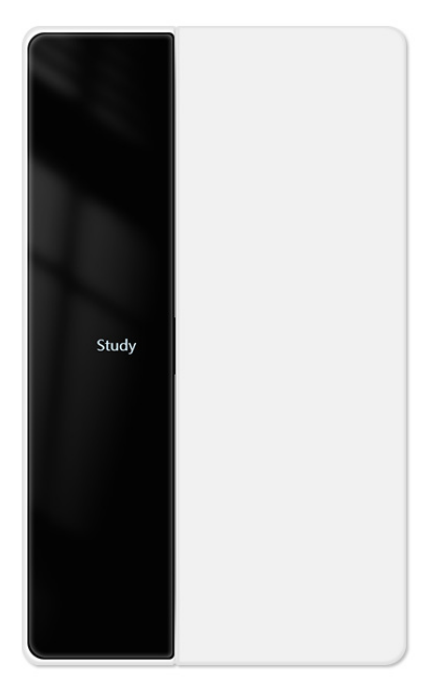
Use LZPS-1 for a single lighting circuit in an entry, bedroom or study. Set short button names in NETUS APP so the display identifies each connected light. The display illuminates when someone approaches, helping occupants find the right button.
Planning & compatibility
Communication: Zigbee. NETUS APP functions require a compatible NETUS gateway.
Power supply: 100–240 V AC. Load rating: up to 600 W per gang; ask your installer to confirm suitability for the actual lamp and load type.
Controls: 1 physical push button with customisable display labels.
Mounting: horizontal or vertical. Colour options listed in the datasheet: white, grey and black; confirm availability for your project.
Timers, group control and voice control are available through a compatible connected setup. Have a qualified electrical installer check the circuit, terminal markings, wall-box space and connected loads. Refer to the installation guide for wiring and commissioning.
Product questions
How do I choose the right number of gangs?
Choose the number of separately switched lighting circuits you need at this position. LZPS-1 provides 1 switched output; the range includes 1-, 2-, 3- and 4-gang versions.
Does this switch connect directly to Wi-Fi?
This model uses Zigbee. Add it through a compatible NETUS gateway for NETUS APP functions.
Can I change the names on the display?
Yes. Use the channel edit or rename control in NETUS APP, where available, to set short names such as Entry or Kitchen. Save, allow synchronisation and wake the display to check the labels.
Can it be installed horizontally?
The datasheet supports horizontal and vertical mounting. Your installer should confirm the mounting position and clearances against the supplied unit.
Where can my installer find the wiring and setup information?
Download the installation guide below for functional connections, model-specific outputs, Zigbee pairing and handover checks. The datasheet provides the product overview and ratings.
Discuss this product with NETUS
Plan your smart home project
Choosing products for a new build or renovation in New Zealand? Share your floor plan, existing equipment and the functions you want to control so NETUS can help check product selection and compatibility.
Explore Auckland smart home projects · Browse available product datasheets and guides · See smart home system connections
Download the product datasheet and installation guide below.